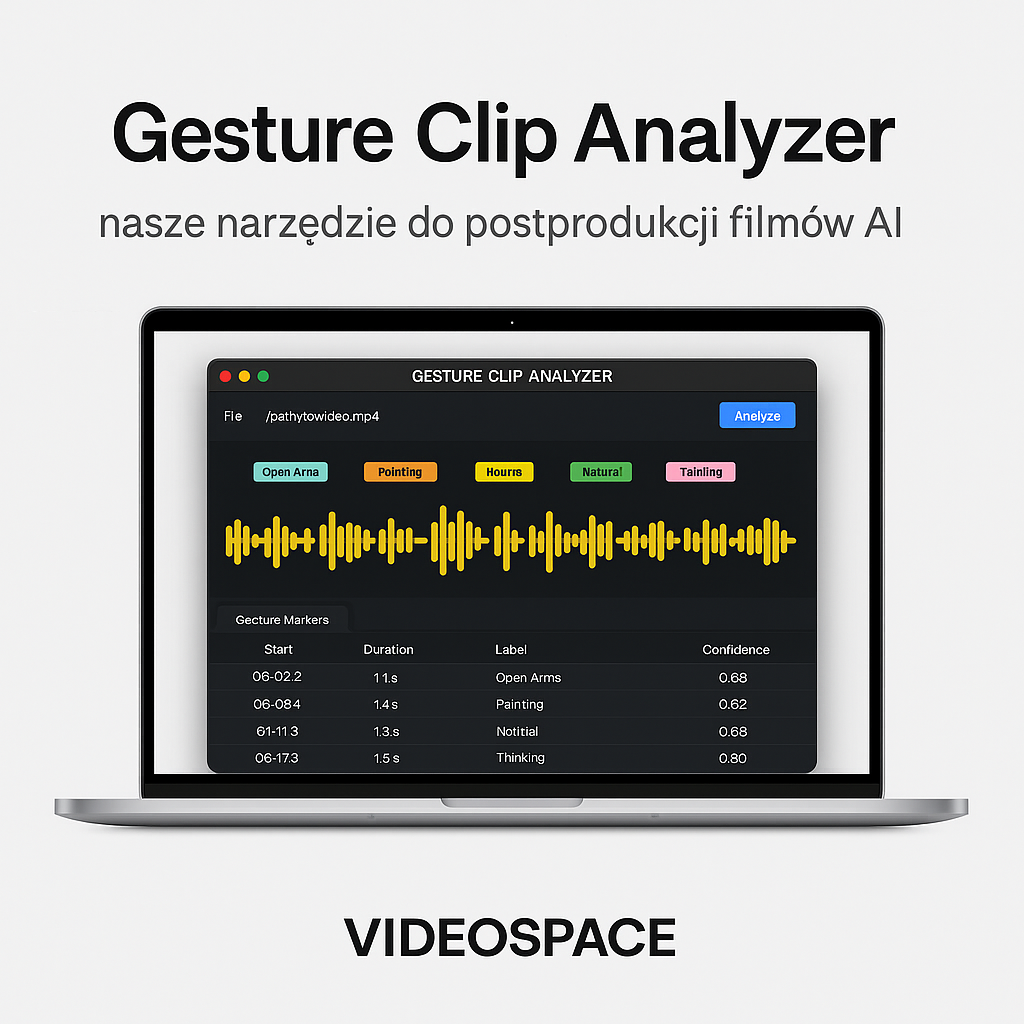
At VIDEOSPACE, we have been specialising in professional video production for over a decade. Recent years have seen us make a full transition to artificial intelligence-based technologies. This enables us to produce content faster, with greater precision, and in multiple languages simultaneously. However, this development has brought with it a specific challenge: how can we automatically detect gestures in recordings to speed up editing and better synchronise the video with the AI voice?
Why was the Gesture Clip Analyzer developed?
Traditional assembly tools do not offer solutions for automatic gesture recognition. Manually analysing and cutting the material was not only time-consuming but also inefficient. That is why we have developed our own solution — Gesture Clip Analyzer, a desktop application for macOS.
The programme analyses a video file (MP4) and detects moments when specific gestures appear, such as:
arms outstretched,
indicating,
a thoughtful gesture,
a neutral stance.
Once the analysis is complete, the application generates a file markers.json, which contains:
the exact timecodes of the detected gestures,
labels assigned to the gesture,
the duration and colour of the marker.
Integration with Adobe Premiere Pro
Simply detecting gestures is just the first step. To fully harness the potential of this solution, we have developed a second tool — GestureMarkers UXP v0.1.6 for Adobe Premiere Pro (tested on Beta 25.4 build 99).
This panel allows you to:
file import
markers.json,automatic addition of markers to the sequence,
colouring markers by gesture type,
the option to cut the material automatically at detected points,
moving clips to selected bins (e.g. the first 5 gestures to the ‘Cuts 1’ folder).
As a result, the entire post-production process for AI-generated films becomes significantly faster, more precise and easier to automate.
The use of AI in video production
We use Gesture Clip Analyzer and GestureMarkers UXP in our day-to-day work on:
online courses and tutorials (modular editing with AI voiceover),
product videos (dynamic cuts tailored to the content),
multilingual content (easy to synchronise with AI dubbing).
These are solutions that arose from a genuine need and are now an integral part of our workflow at VIDEOSPACE.
Download our tools
Would you like to try out the Gesture Clip Analyzer and the panel for Adobe Premiere Pro? We’ve made them available in an open-source repository: